http://anr.amigazeux.net/
Jul 30, 2010 - 06:16 AM
Home :: Forum :: WebLinks :: FAQ 
Search   
or
Main Menu

Who's Online
There are 4 unlogged users and 0 registered users online.

You can log-in or register for a user account here.

Donate
We gratefully appreciate every donation.
Thank you!
Amount:


Last 10 Contributions
12-07-2010 137.75
02-02-2010 10.00
27-11-2009 55.00
08-11-2009 5.00
13-09-2009 10.00
12-09-2009 20.00
25-08-2009 5.00
20-08-2009 15.00
24-05-2009 15.00
04-05-2009 10.00

Total 282.75

Donate


Welcome to the #amigazeux website


Five Updates
Posted by: UltraGelb on Saturday, October 17, 2009 - 09:35 PM
#amigazeux Wetter V2.0
This is the first update to Wetter after 5 years.

Please check the Wetter Website for details.
MouseEyes V1.1
  • MouseEyes can now remember their positions when they have been dragged.
  • Added polish translation and catalog by Grzegorz Kraszewski.
  • Included icon to be used in Screenbar Prefs. See Readme.
Download MouseEyes V1.1 HERE
CPUGauge V1.5
  • Frame offsets are kept now when frame visibility is set to 0 and frame is enabled.
  • Background effect Delta Slider was also shown for "Negative" and "Grey" effect. Fixed.
  • Added french translation and catalog by Sebastien LIGEZ.
  • Included icon to be used in Screenbar Prefs. See Readme.
Download CPUGauge V1.5 HERE
MemoryGauge V1.4
  • Frame offsets are kept now when frame visibility is set to 0 and frame is enabled.
  • Background effect Delta Slider was also shown for "Negative" and "Grey" effect. Fixed.
  • Included icon to be used in Screenbar Prefs. See Readme.
  • Added french translation and catalog by Sebastien LIGEZ.
Download MemoryGauge V1.4 HERE
Uptime V1.1
  • Didn't show any text when uptime minutes were 0 (right after a reboot) and seconds were not enabled. Fixed.
  • Frame offsets are kept now when frame visibility is set to 0 and frame is enabled.
  • Background effect Delta Slider was also shown for "Negative" and "Grey" effect. Fixed.
  • Included icon to be used in Screenbar Prefs. See Readme.
Download Uptime V1.1 HERE

(1236 Reads) Printer-friendly page

One New Screenbar-Plugin and Three Updates
Posted by: UltraGelb on Friday, September 11, 2009 - 10:26 PM
#amigazeux 11.09.2009 - Uptime V1.0
Uptime is a Screenbar-Plugin for MorphOS.

  • Displays the Systems Uptime in the screen title.

  • Can display the current uptime vs the uptime record in a gauge.

  • Will display the uptime record in a bubble when being clicked.

  • Everything is fully configurable.
Requirements: MorphOS 2.0

Download Uptime V1.0 HERE


11.09.2009 - CPUGauge V1.4
  • "Screenbar Default" for vertical text position was ignored entirely. Fixed.

  • Fixed a bug in german translation. MSG_REDRAW_FREQUENCY_1_15S showed "16 mal die Sekunde" (Grzegorz Kraszewski).

  • Visibility for the label can be changed now.

  • Clicking the gauge took inner dimensions of the object for giving visual feedback, now uses full object dimensions (effect was barely visible on huge spacing).

  • Gauge could be drawn out of bounds in certain configuration scenario.

  • Added polish translation and catalog by Grzegorz Kraszewski.
Download CPUGauge V1.4 HERE


11.09.2009 - MemoryGauge V1.3
  • "Screenbar Default" for vertical text position was ignored entirely. Fixed.

  • Added polish translation and catalog by Grzegorz Kraszewski.

  • Small adjustment to localisation: Changed "Opacity" to "Visibility" and "Undurchsichtigkeit" to "Sichtbarkeit" in the german catalog.

  • Visibility for the label can be changed now.

  • Gauge could be drawn out of bounds in certain configuration scenario.
Download MemoryGauge V1.3 HERE


11.09.2009 - ModernArt Blanker V2.0
  • ModernArt Blanker now uses TinyGL resulting in a lot less CPU consumption. For your convenience and for the users who don't own a 3D capable graphics card the old non-TinyGL version can be found in the "old" directory that comes with this archive.

  • Added FPS setting.

  • The switch to TinyGL made it possible to add fading without cooking the CPU :-) There is a correspondig prefs item aswell.

  • Increased maximum show time per "scene" to 3000 seconds (was 300 before).
Download ModernArt Blanker V2.0 HERE


(1337 Reads) Printer-friendly page

CPUGauge V1.3 released
Posted by: UltraGelb on Sunday, August 30, 2009 - 06:29 AM
#amigazeux CPUGauge is a screenbar plugin for MorphOS and displays the current CPU load as a smooth sliding gauge in the screen title. Requirements: MorphOS 2.0 or higher
Changes for V1.3:
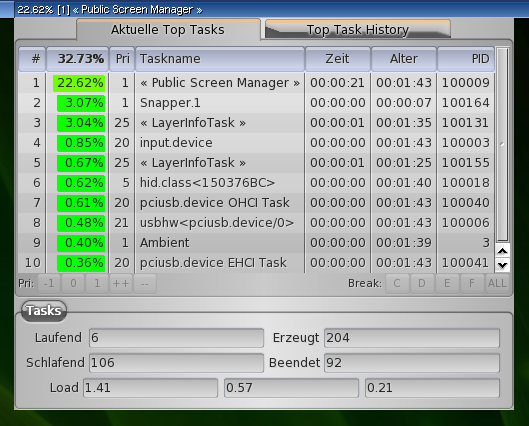
  • Now uses SA_ScreenbarSignal for its timer in order to prevent the Public Screen Manager task running out of signals due to CPUGauge running on too many screens.
  • Fixed a bug that made CPUGauge crash when the timer was not created (Fabien Coeurjoly).
  • Small adjustment to localisation: Changed "Opacity" to "Visibility" and "Undurchsichtigkeit" to "Sichtbarkeit" in the german catalog.
Download CPUGauge V1.3 HERE

(1341 Reads) Printer-friendly page

MouseEyes V1.0 released
Posted by: UltraGelb on Wednesday, August 26, 2009 - 09:37 PM
#amigazeux MouseEyes are watching you prevaricate. AmigaZeux present at least someone to watch over you lonely people out there. With this harmless looking screenbar plugin that displays fun, user-configurable eyes that apparently look at and follow the mouse pointer no matter where it goes. But through this we can actually spy into your room, through your computer screen, and give details of your underwear to Genesi's guerilla marketing arm. This is secret information and you users won't know about it.

Requirements: MorphOS 2.0 or higher


Download MouseEyes V1.0 HERE

PS: Laire doesn't wear any (haha).


(1539 Reads) Printer-friendly page

MemoryGauge V1.2 released
Posted by: UltraGelb on Sunday, August 23, 2009 - 12:19 AM
#amigazeux MemoryGauge is a screenbar plugin for MorphOS and displays all kinds of memory information as a gauge in the screen title. Requirements: MorphOS 2.0 or higher
Changes for V1.2:
  • Left and right spacing can be changed now (Daff).
  • Background wasn't properly refreshed with extreme spacing dimensions. Fixed.
  • The label is now always horizontally centered to the screen title and will ignore top and bottom spacing entirely.
  • Byte separator can be selected from a list of alternatives now including none at all (Daff).
  • It's possible now to use the screenbar default font colour.
Download MemoryGauge V1.2 HERE

(1402 Reads) Printer-friendly page

User's Login


 Log in Problems?
 New User? Sign Up!

Poll

What's your favourite Audio Player?

[ Results | Polls ]

Votes: 462


Past Articles
Older articles

#amigazeux :: Support :: Bugtracker 
All logos and trademarks in this site are property of their respective owner.
The comments are property of their posters, all the rest © 2002, 2003, 2004, 2005, 2006, 2008 #amigazeux
botname Other